Your billing history
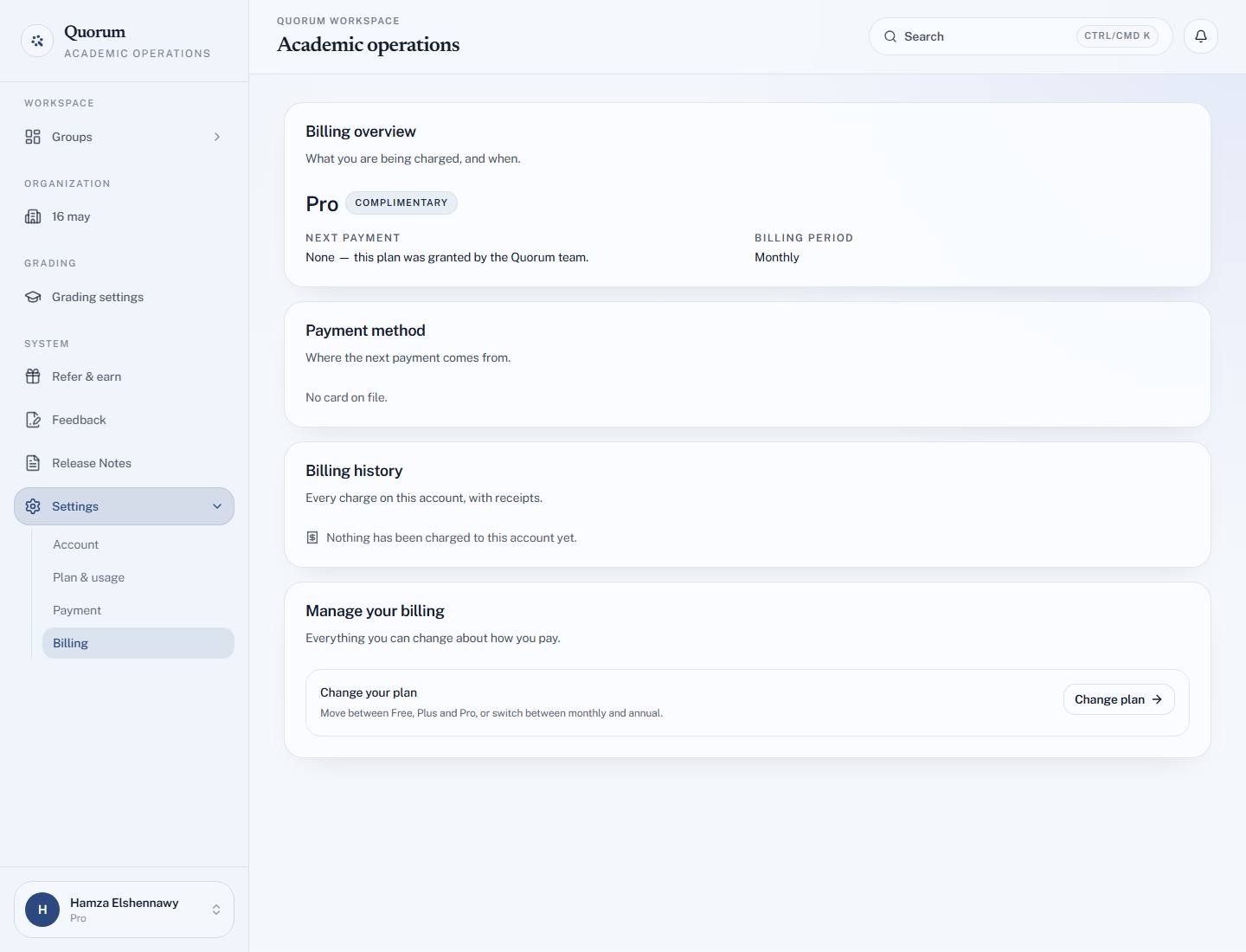
Settings → Billing shows what you pay and when, and lists every past payment.
What the page shows
| Section | Shows |
|---|---|
| Billing overview | Your plan, your Next payment and when it is due, and your Billing period |
| Payment method | The card on file and when it expires, or that you pay by InstaPay transfer |
| Billing history | Every charge on the account, with receipts |
| Manage your billing | Links to change your plan, open the billing portal, or cancel |
Card payments
Each charge is listed with its date, amount and status — Paid, Due, Unpaid or Voided — and Download invoice for the PDF.
To add your institution's name, billing address or VAT details to future invoices, open Billing portal → Open portal. The portal is run by Stripe, and is also where you update your card and download older invoices.
If the list says We could not reach Stripe to load your invoices, the list may be incomplete for a moment. Nothing is wrong with your account — try again shortly.
InstaPay payments
Transfers are listed separately under InstaPay transfers, each with its reference, its status — Awaiting review, Approved or Rejected — and for approved ones, the date it covers you to.
InstaPay transfers have no Stripe invoice. If you need a formal invoice for one, ask the team with the transfer reference.
Nothing listed?
Nothing has been charged to this account yet is normal on the Free plan, during a free trial, and on a plan granted by the Quorum team.