Pay with InstaPay
For customers in Egypt: pay in Egyptian pounds by InstaPay transfer instead of by card. You transfer the amount, enter the reference from your receipt, and your plan starts once the transfer is matched — usually within one working day.
Before you choose InstaPay
InstaPay is a transfer you send, not a card Quorum can charge. So:
- It does not renew on its own. Each transfer pays for one period. To stay on the plan, you send another transfer before it ends. Quorum reminds you 7, 3 and 1 day before.
- There is no free trial. The 14-day trial is for card subscriptions.
If you would rather not think about renewals, pay by card.
Make the transfer
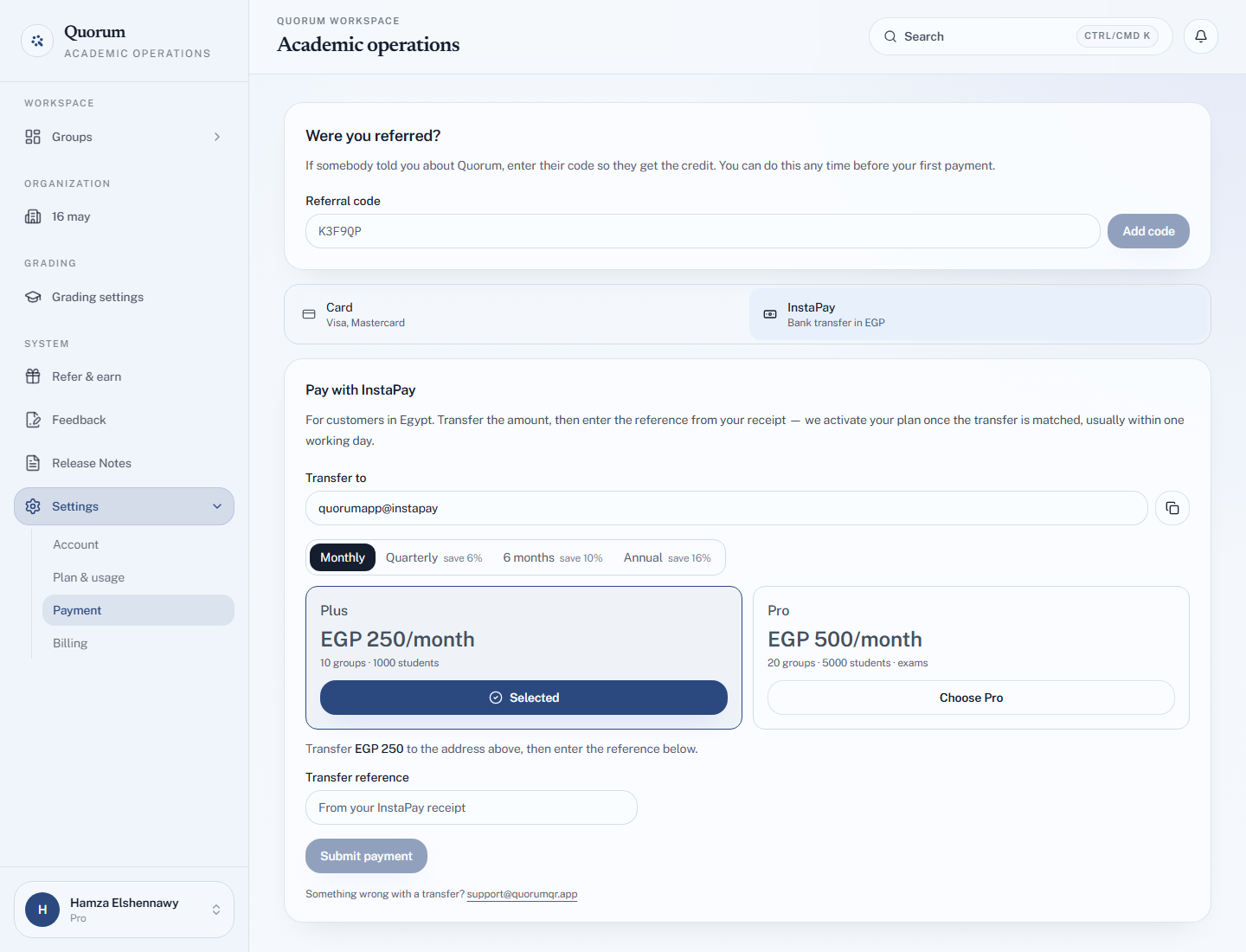
- Open Settings → Payment and choose InstaPay as the payment method. From Egypt it is usually selected already; elsewhere, choose Pay with InstaPay in EGP under the plans.
- Pick the plan and period with Choose Plus or Choose Pro. The screen shows the amount in pounds.
- Under Transfer to, copy the InstaPay address with Copy InstaPay address.
- In your bank or InstaPay app, send exactly that amount to that address.
- Back in Quorum, enter the Transfer reference from your InstaPay receipt and choose Submit payment.
You see Submitted. Your plan activates once we match the transfer. The payment appears under Your payments as Awaiting review.
What happens next
The Quorum team matches your reference against the transfers received.
| Status | Means |
|---|---|
| Awaiting review | Submitted, not yet matched |
| Approved | Matched. Your plan is active, and a notification says so |
| Rejected | No transfer with that reference was found — the notification says why |
Once approved, the plan runs for the period you paid for. Settings → Plan & usage shows how many days are left.
Paying again early does not lose you days. A transfer made before your current period ends adds the new period to the end of the old one.
If your payment is rejected
You get a notification: We could not match your transfer, with the reference you entered. Check it against the reference on your receipt — a mistyped digit is the usual cause — and submit it again. If you are sure it is right, email the address under Something wrong with a transfer? on the same screen, or chat with the team.
Paying with referral credit
If you have referral credit in pounds, tick Pay with credit — Use my … of credit on this transfer. The amount to transfer drops by your credit. If your credit covers the whole plan, there is nothing to transfer and nothing to review: the plan starts immediately.
When the period ends
If you do not send another transfer, the plan lapses and your account drops to Free limits. Nothing is deleted — every group, student and record stays, and you can keep teaching the groups you have within Free's limits.