Refer and earn
When someone you referred pays for their first subscription, you get what they paid as credit — up to a cap per referral, shown on the page — and it comes off your next bill.
Open Refer & earn in the sidebar.
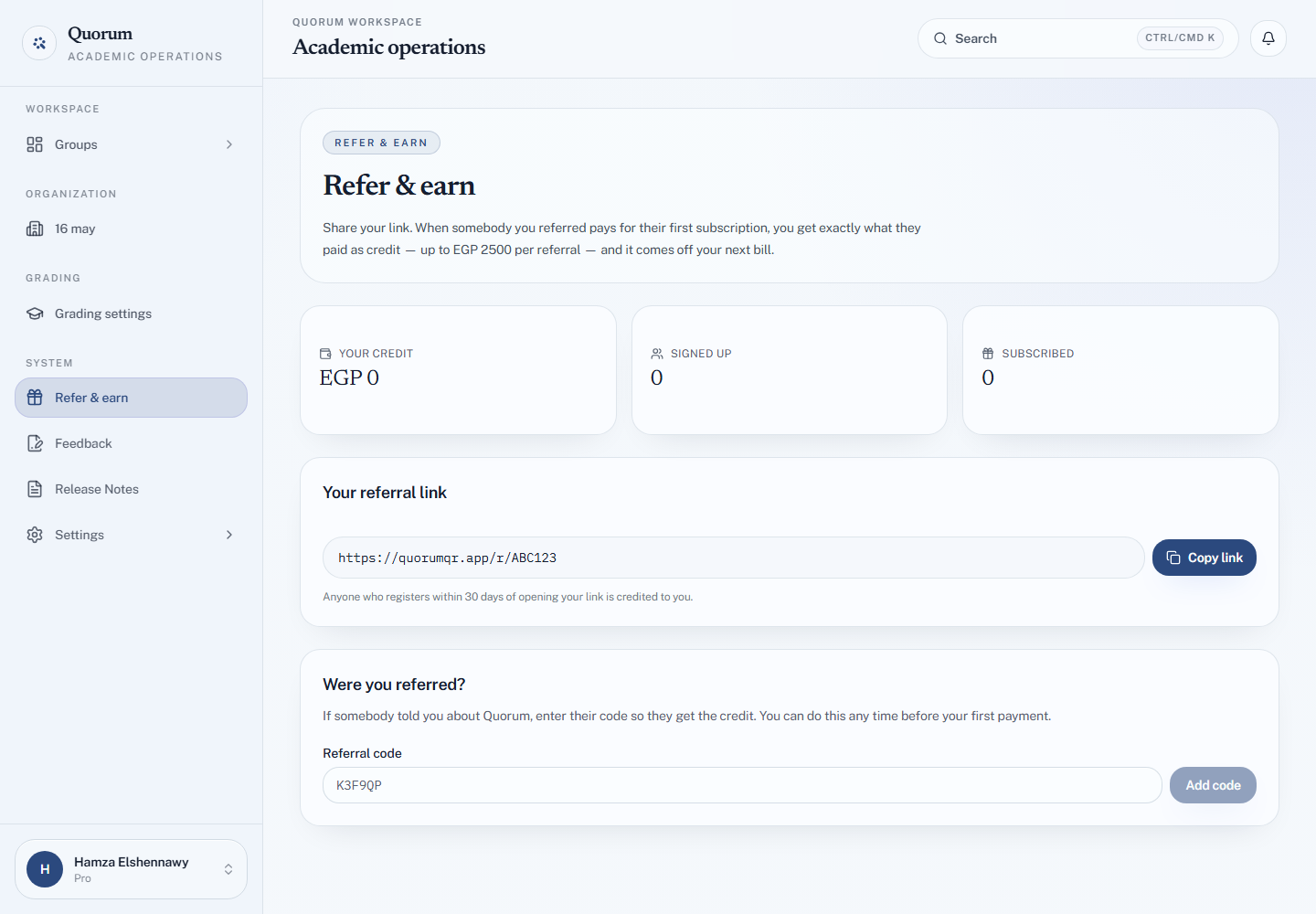
Share your link
Your referral link is at the top, with Copy link. Anyone who registers within 30 days of opening it is credited to you.
Referral links are for subscribers. On the Free plan the page says so, and your link appears once you are on a paid plan.
Watch it work
People you referred lists each one with where they are: Signed up, then Subscribed once they pay. No subscription yet means they have an account but have not paid; No reward means the referral ended without earning credit.
Credit history lists every credit added and spent.
Spending credit
Your credit shows the balance. Credit is kept in the currency it was earned in — Egyptian pounds from a referral who paid by InstaPay, US dollars from one who paid by card — and each is spent on a plan bought the same way.
- By card: credit comes off your next bill automatically.
- By InstaPay: on the transfer screen, choose Pay with credit to take it off the amount. If your credit covers the whole plan, there is nothing to transfer. See Pay with InstaPay.
If someone referred you
Under Were you referred?, enter their Referral code and choose Add code. You can do this any time before your first payment, so they get the credit.
If the programme is paused
The page says The referral programme is not running at the moment. Your credit and history stay exactly as they are.