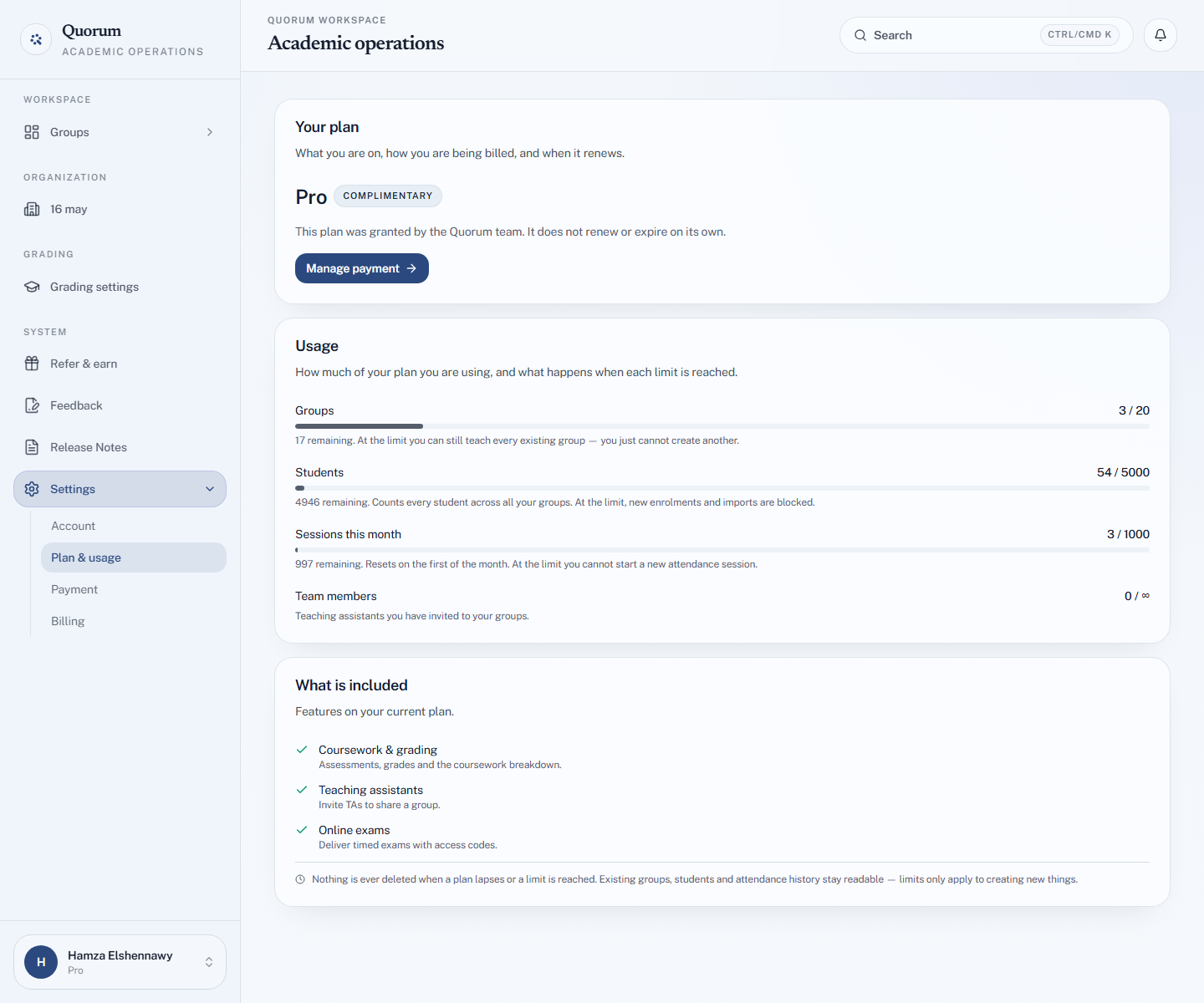
What counts against your limits
Every plan has four limits: groups, students, sessions a month and team members. All four are counted across your whole account, not per group.
The four limits
| Limit | Counts |
|---|---|
| Groups | Groups you own that are not archived |
| Students | Students across all your groups, added or imported |
| Sessions this month | Sessions started in your groups this calendar month, including past attendance you imported |
| Team members | TAs and shared owners on your groups' teams |
The numbers for each plan are in Limits at a glance.
The monthly session count
It resets on the first of the month. A session counts when it starts — a session you started by accident still counts after you delete it.
Importing past attendance creates a real session for every column you import, so a twelve-week backlog uses twelve of that month's sessions. If you are bringing a whole term in on the Free plan, do it early in a quiet month.
Your team's work counts against you
The group's owner pays for the group. Everything a TA or shared owner does there counts against the owner's plan:
- sessions a TA starts count towards the owner's monthly sessions
- students a TA adds or imports count towards the owner's student limit
A TA's own account and plan are untouched. If a TA hits a limit while working in your group, it is your plan that has run out.
Archiving frees room
An archived group does not count towards your group limit. Its students and sessions are kept, but it cannot run new sessions until you restore it — and restoring needs a free group slot.
Checking where you stand
Settings → Plan & usage shows your plan and, under Usage, how much of each limit you have used, how many remain, and what happens when each one is reached.