What your students see
Students do not have Quorum accounts. This page describes their whole experience — forward it to a class before an exam.
Sitting a Quorum exam
1. Open the link your instructor sent. It works in any browser. There is nothing to install and no account to create.
2. Identify yourself. Enter your university ID, exactly as your university issues it. If your instructor set an access code, enter that too — they will give it to you at the start.
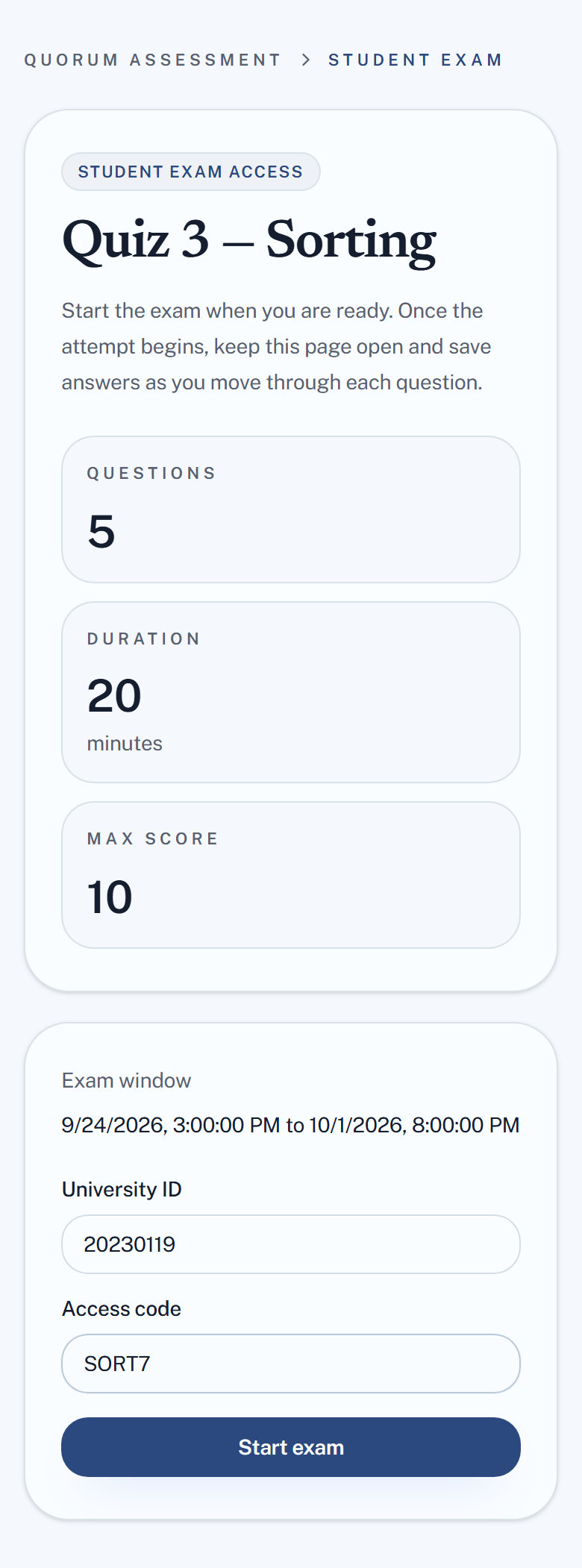
3. Start when you are ready. The timer begins when you press Start exam, not when you open the page. Once it starts it does not pause, so start when you are actually ready to work.
4. Work through the questions. Answers save as you go. Keep the page open for the whole attempt.
Depending on how your instructor set it up you may see questions one at a time, and you may not be able to return to earlier ones. If backtracking is off, answer each question before moving on — you cannot come back.
5. Watch the time. Time left is shown throughout. When it reaches zero the attempt submits itself with whatever you have answered.
6. Submit. You may or may not see your score straight away — that is your instructor's choice, not a fault.
Things worth knowing
- The timer does not pause. Closing the tab does not stop it.
- Stay on one device. Opening the same attempt elsewhere is detected and recorded.
- Use your normal browser, not a private or incognito window.
- Leaving the exam page is recorded — switching tabs or apps is logged for your instructor.
- Losing connection is survivable. Answers save as you go, so reconnect and carry on. Tell your instructor if it happens.
The exam screen appears in the student's own language, English or Arabic, independently of yours.
Tell students in advance about anything unusual you turned on — especially no backtracking, which is not what students expect and produces panic in the first two minutes if it is a surprise.