Your account settings
Settings → Account holds everything about you rather than about a group. Changes here apply across every group you own or help on.
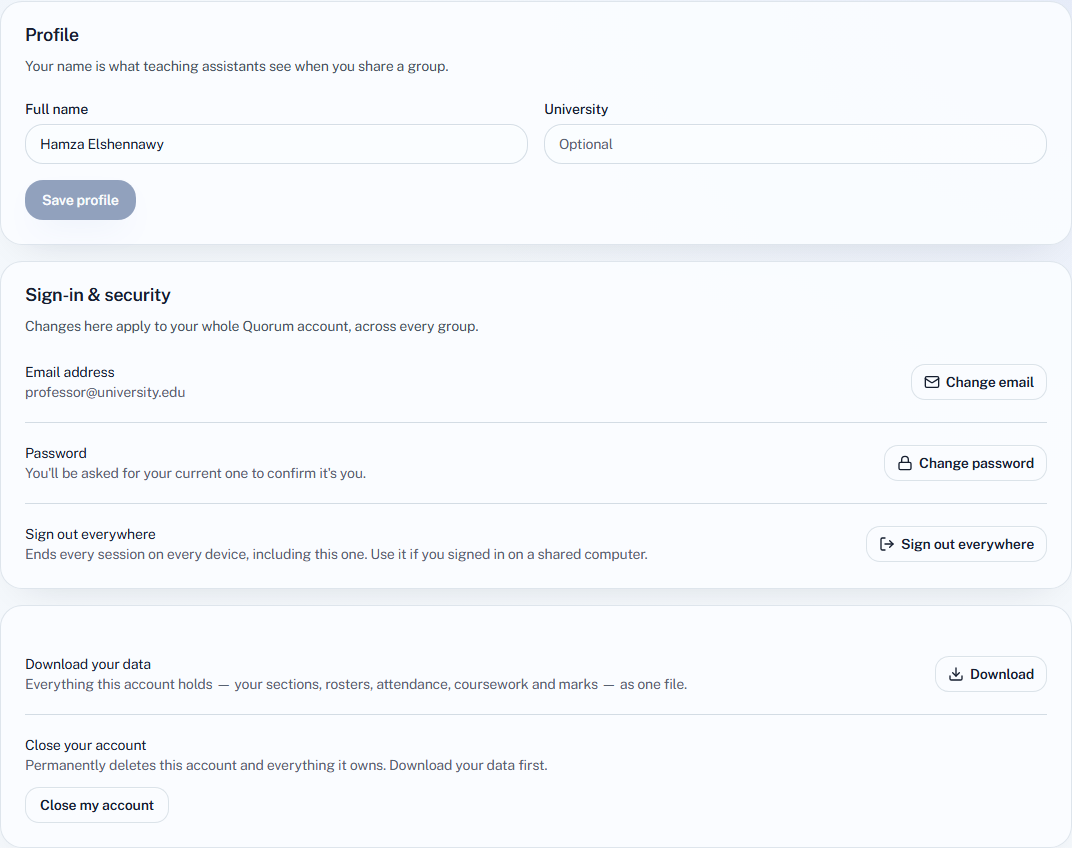
Your name and university
Fill in Full name and University, then choose Save profile.
Your name is what a TA sees when you share a group with them, and what the activity log records against the changes you make. University is optional.
Change your email
- Choose Change email.
- Enter the New email and choose Send confirmation.
- Open the link Quorum sends to the new address.
Nothing changes until you follow that link. Until then you keep signing in with your current address, and the page shows the new one as pending.
Change your password
- Choose Change password.
- Enter your Current password, then the New password twice. It must be at least 6 characters and different from the current one.
- Choose Update password.
If you signed up with Google, there is no password to change here. To add one, sign out and use Forgot password on the sign-in page.
Sign out everywhere
Sign out everywhere ends every session on every device, this one included. Use it if you signed in on a shared or lost computer, then sign in again here.
Download your data
Download gives you one file with everything your account holds: the groups you own, their rosters, sessions, attendance, coursework and marks.
Only groups you own are included. A group you help on as a TA belongs to its owner, so it is not in your file.
Close your account
Close my account permanently deletes the account and every group it owns, with their rosters, attendance and marks. It cannot be undone, so download your data first.
- Choose Close my account.
- Type your email address exactly, to confirm.
- Confirm.
If you pay by card, closing the account cancels the subscription straight away rather than at the end of the period. If that cancellation fails, the account is left open so you are not billed for an account that no longer exists — try again in a moment.
Groups you only help on as a TA are not deleted; they belong to their owners.
To stop paying but keep your groups, cancel your plan instead. Your account moves to the Free plan and nothing is deleted.