Set what attendance is worth
Attendance becomes a number through five settings, held per group. Set them once at the start of term and the policy applies itself all the way through.
Where they live
Grading settings, under Grading in the sidebar. It lists every group you have, each with its own policy and its own Save policy button.
There is no account-wide default to set. Each group is edited separately, which is the point — a compulsory-attendance lecture course and an optional seminar should not score the same.
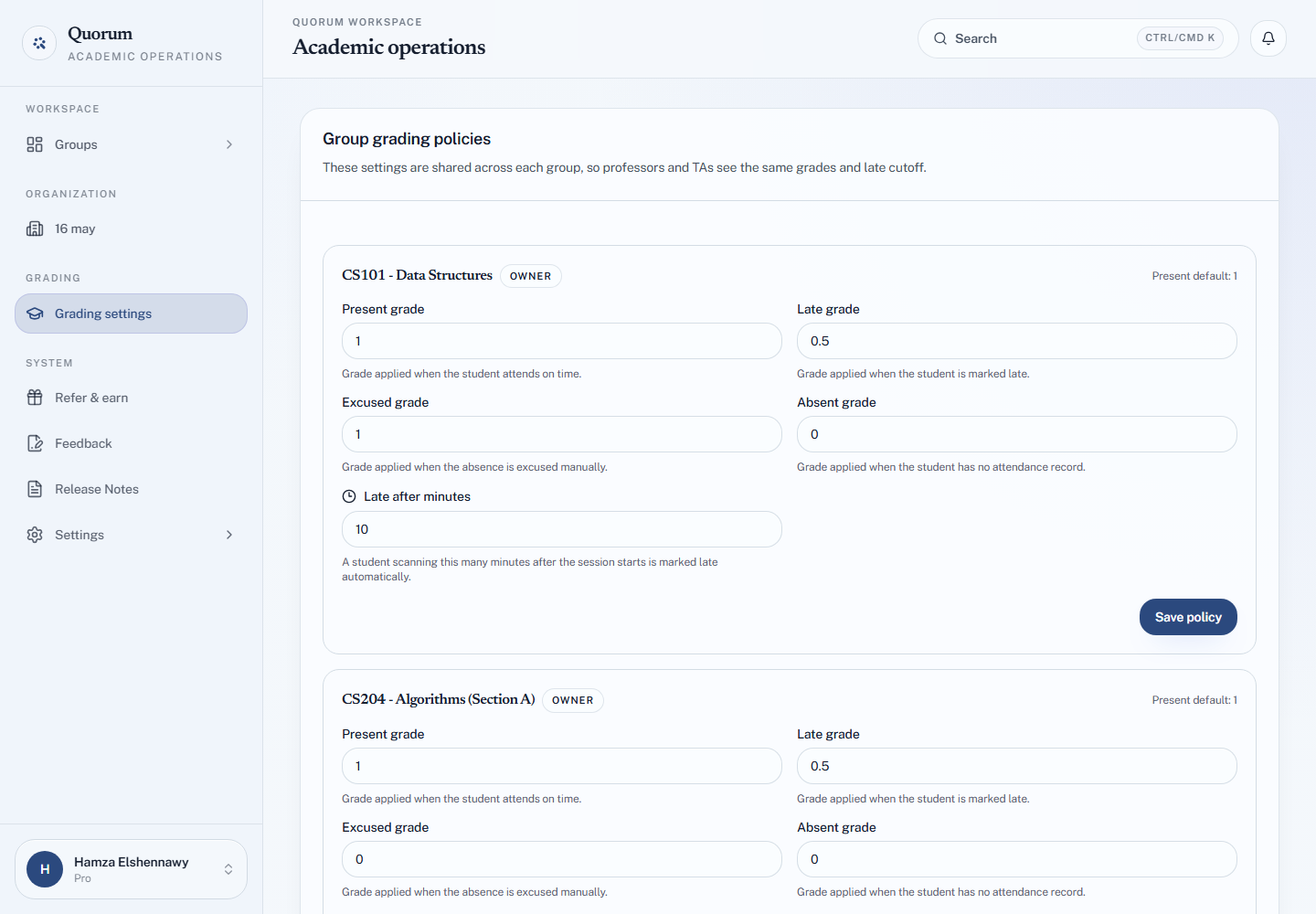
The five settings
| Setting | Default | Applies when |
|---|---|---|
| Present grade | 1 | The student attends on time |
| Late grade | 0.5 | The student is marked late |
| Excused grade | 0 | You excused the absence by hand |
| Absent grade | 0 | There is no attendance record |
| Late after minutes | Blank | Minutes after the start at which a scan counts as late |
Leaving Late after minutes blank disables lateness entirely — every successful check-in is simply present.
Choosing values
The defaults encode a common policy: attendance is worth a point, arriving late is worth half of it, and being absent is worth nothing.
They are just numbers, though, and the scale is yours. Two worked approaches:
Points per session. Present 1, late 0.5, absent 0. A student's attendance grade is then a count of sessions attended, which is easy to explain to a class.
Percentage of a session. Present 100, late 50, absent 0. The average across the term reads directly as an attendance percentage.
Either works. Pick one and use it consistently across your groups so numbers from two courses mean the same thing.
Excused deserves a decision
Excused is the setting people leave at 0 without thinking, which quietly makes it identical to absent — and then there was no point marking anyone excused.
Decide what you actually mean:
| Excused set to | Says |
|---|---|
| Same as present | An approved absence costs nothing |
| Between present and absent | It costs something, but less |
| 0 | Identical to absent — so why excuse anyone? |
Set it to match your real policy on illness and university business, and marking someone excused then applies that policy without further thought.
Everyone in the group sees the same policy
Grading settings are shared across the group, so you and any TA see identical grades and the same late cutoff. A TA cannot keep a private scale — but a TA can change the group's policy, for everyone. Agree the values before term starts.
Changing them mid-term
Values are recalculated from the stored attendance statuses, so changing a number re-scores the sessions already recorded. That is usually what you want — correcting a mistyped value fixes the whole term at once.
It also means raising or lowering a value silently changes grades a student may have already seen. Tell the class if you change policy after the term has started.
The late threshold is the exception: it decides how future check-ins are classified and does not reclassify sessions already recorded. See Late arrivals.