Group settings
Most of what you would call a "setting" for a class lives in one of two places: on the group itself, or on your account as a default.
Rename a group
Group names are editable at any time. Renaming changes nothing else — students, sessions, coursework and attendance are untouched.
To rename, open the group and choose the pencil next to its name, type the new Group Name, and choose Save. Only owners see the pencil.
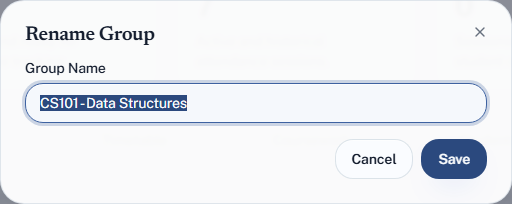
Rename freely. A group called New Group in week six is worth thirty seconds to
fix.
Settings that belong to the group
Grading values — what present, late, excused and absent are each worth, and how many minutes late counts as late.
These are per group, which matters: a lecture course where attendance is compulsory and a seminar where it is not can score attendance completely differently. They are edited in the Grading section, which lists every group separately. See Set what attendance is worth.
Team access — which TAs can work in this group. See Invite a TA.
Settings that belong to your account
Under Settings, applying everywhere:
| Setting | Where |
|---|---|
| Your name and university | Settings → Account |
| Email and password | Settings → Account, under Sign-in & security |
| Plan and usage | Settings → Plan & usage |
| How you pay | Settings → Payment |
| Invoices | Settings → Billing |
Note that grading is not among them. There is no account-wide grading default to change: every group carries its own policy, and a new group starts from Quorum's built-in values until you set it.
Deleting a group
Deleting is permanent and takes the students, sessions and attendance records with it.
There is no undo. If the term has simply ended, archive the group instead — it clears your dashboard, frees the slot against your plan, and keeps everything.
Deletion is owner-only. A TA cannot delete a group.