Send feedback
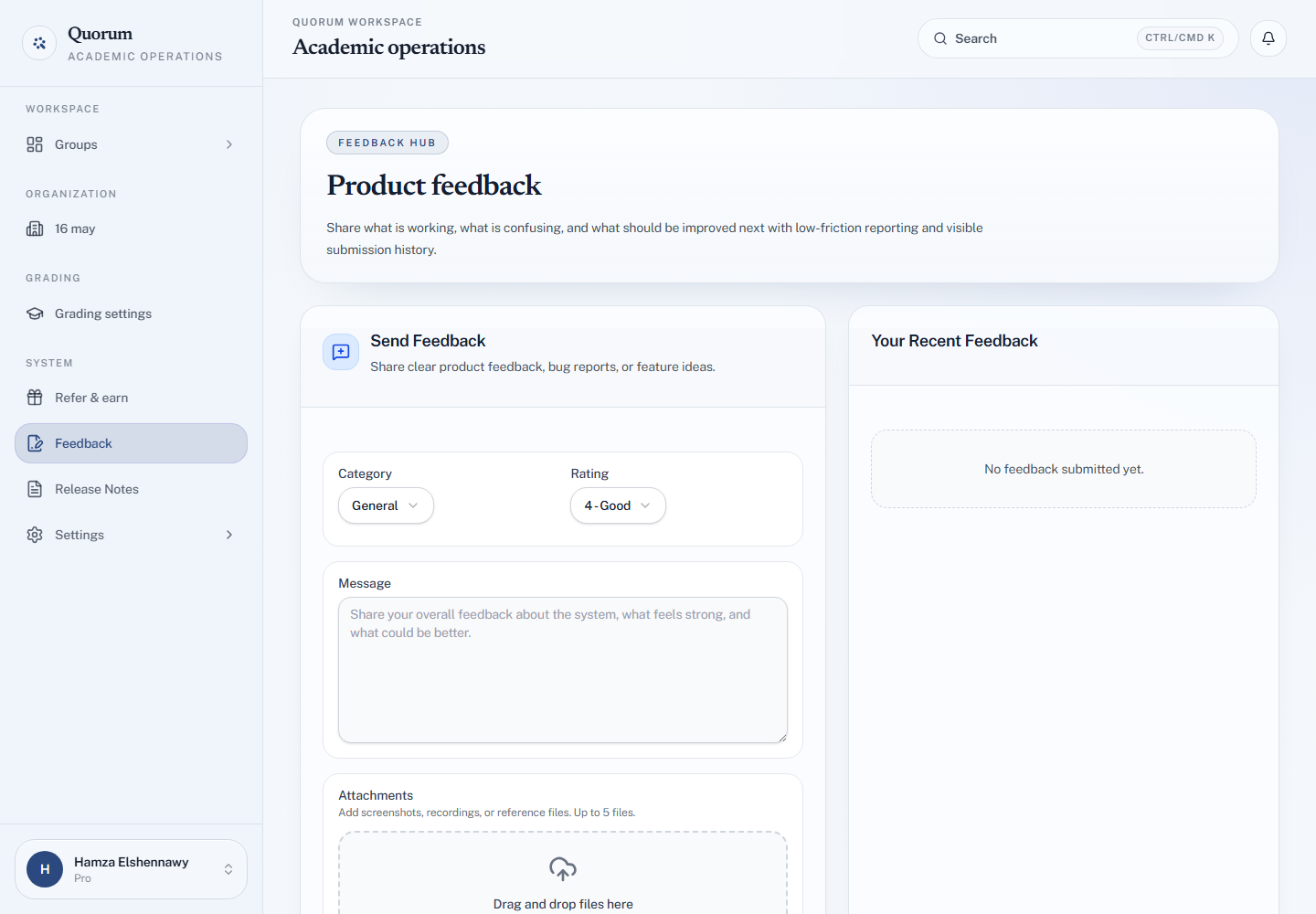
Feedback in the sidebar opens a form for bug reports, feature ideas and anything that felt harder than it should. There is also a Send feedback chip in the corner of the dashboard, which opens the same page.
Send it
-
Open Feedback from the sidebar.
-
Pick a Category:
Category For General Overall impressions — what works and what does not Bug Report Something went wrong. Say what you expected, and the steps that lead to it Feature Request Something missing, and why it would help Usability A flow or page that was unclear or slow -
Give a Rating, and for a bug, a Severity — Low, Medium, High or Critical.
-
Write the Message. The form suggests what to include for the category you picked.
-
Add Attachments if they help — screenshots, a screen recording, a file. Drag them onto the form or choose them; up to 5.
-
Choose Send Feedback.
What happens to it
It appears under Your Recent Feedback on the same page. When the team reviews it, marks it planned, or reopens it, you get a notification.
If an attachment fails to upload, nothing is sent — you are told so, and can try again or send without the file.
Feedback or chat?
Feedback is for the product: what should change. If you need something fixed on your own account now — a payment, a stuck session — use the support chat instead.